Why Is Assignar So Expensive
Why Is Assignar So Expensive
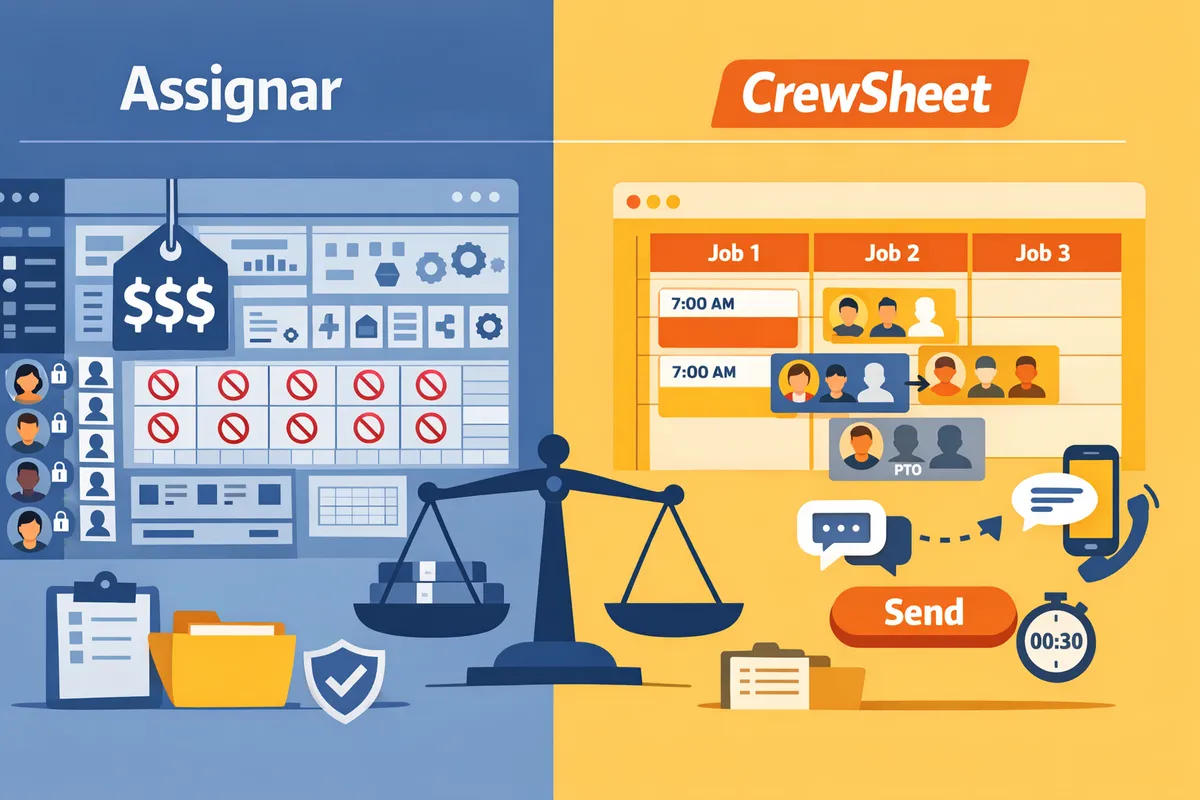
Assignar pricing often costs small trades contractors thousands per year for platform features they never use. Searchers asking "why is assignar so expensive" are usually comparing Assignar's full-platform fees to lighter crew-scheduling options. CrewSheet is crew-scheduling software that uses a drag-and-drop day board and one-way SMS to assign crews and send schedule notifications without requiring field-worker logins. Our website compares the real cost drivers: licensing, onboarding time, per-user logins, and the revenue lost to scheduling errors. We contrast Assignar, spreadsheet-plus-SMS workflows, and CrewSheet with practical examples for small-to-midsize trades contractors. See the day-board walkthrough and a spreadsheet comparison for real trade scenarios. Which option actually saves payroll and admin hours for a 15- to 50-person coatings or HVAC crew?
What drives Assignar's price?
Assignar's price reflects enterprise-grade licensing, integrations, and professional onboarding that scale with company size and complexity. Small contractors feel the impact most because per-seat licenses, one-time migration fees, and ongoing integration support multiply costs across a modest headcount.
How does Assignar's licensing and user model raise costs? 🧾
Assignar typically charges per-seat or per-role and expects company-wide adoption, which multiplies monthly fees as you add field users. For example, a 10-person office-only rollout mostly hits office admin and scheduler seats; a 50-person rollout that includes field crews increases costs not only for extra licenses but also for mobile access, training, and compliance work. Typical market per-seat ranges vary, so the difference between a 10-seat and 50-seat deployment can be several thousand dollars per month in recurring spend. Our website's comparisons show why small trades prefer tools that keep field crew off the login roster to avoid those per-user fees; see our crew scheduling for construction trades guide for workflow-focused alternatives.
What hidden onboarding and migration costs should you expect? ⚙️
Onboarding and data migration create one-time professional services fees, extended project management, and internal labor that add materially to sticker price. Common line items include project management, CSV-to-ERP mapping or cleanses, training sessions for schedulers and supervisors, and custom report creation. Use this simple TCO template to estimate one-time costs by company size.
| Cost item | Small firm (5–20 crew) | Mid firm (20–75 crew) | Larger trades firm (75+ crew) |
|---|---|---|---|
| Professional services / PM | $2,000–$6,000 | $6,000–$15,000 | $15,000–$40,000 |
| Data cleanup / import | $500–$3,000 | $2,000–$8,000 | $8,000–$25,000 |
| Admin + scheduler training | $500–$2,000 | $2,000–$6,000 | $6,000–$15,000 |
| Custom reports / configuration | $1,000–$4,000 | $4,000–$12,000 | $12,000–$35,000 |
💡 Tip: Scope the migration deliverables before signing. Ask for a line-item estimate for CSV mapping, field validation, and a rollback plan to avoid surprise invoices.
CrewSheet reduces these line items by accepting clean CSV imports and keeping the initial scope narrow: schedule, assign, notify. That makes small operators' onboarding faster and cheaper than an enterprise roll-out that tries to replace the ERP.
Which integrations and compliance steps add recurring expense? 🔗
ERP integrations, SSO, and carrier A2P registration often carry extra setup and annual maintenance costs that raise total spend. A simple CSV import is cheap and fast but requires manual updates and creates recurring admin time. A live ERP sync or custom API integration typically requires a professional setup (often several thousand dollars) plus annual maintenance and monitoring. Carrier-compliant SMS (A2P/10DLC) and secure SSO can introduce separate setup fees and ongoing charges for conformity and re-certification.
| Integration type | Typical setup cost | Typical annual maintenance |
|---|---|---|
| CSV import | $0–$1,500 | Low (internal admin time) |
| Live ERP sync / API | $5,000–$30,000 | $1,000–$10,000 |
| SSO / enterprise auth | $1,500–$8,000 | $500–$3,000 |
| Carrier A2P registration | $500–$3,000 | $200–$2,000 |
CrewSheet intentionally starts with CSV imports and built-in A2P compliance to keep recurring integration costs low for trades operators. If you plan to automate job imports from an ERP later, budget both the initial engineering work and a modest annual maintenance line.
How much does vendor support and change control contribute? 🛠️
Formal SLAs, approved change-control, and custom configuration introduce ongoing retainers or push customers into higher subscription tiers. Enterprise vendors expect change requests to go through an approval workflow and bill professional services rates for configuration work. For a small operator that needs quick shifts — a last-minute crew swap or a template update — this can mean slower turnaround, extra approvals, and surprise hourly invoices that erode perceived value.
Business consequences include delayed schedule fixes, increased internal coordination time, and higher total cost for seemingly small changes. CrewSheet aims to minimize change-control friction by enabling admin users to edit templates, adjust schedules, and send messages without vendor approval, which suits operators who prefer speed and low operational overhead. For a broader decision framework on when an enterprise platform pays off versus a lightweight scheduling tool, see our comparison of construction field management software for small operators and the crew scheduling apps round-up.
How do Assignar and alternatives compare feature-by-feature?
Assignar provides a full enterprise scheduling and compliance platform, CrewSheet focuses on fast day-board scheduling and one-way SMS without field logins, and a spreadsheet+SMS workflow is lowest-cost but most error-prone. This section gives the objective criteria small trades contractors care about, a side-by-side comparison table, and practical scoring guidance so you can judge which option matches your priorities.
What comparison criteria matter for small trades contractors? 🧭
Key criteria are total cost of ownership, field-worker login requirements, PTO-awareness, daily board usability, SMS templates and compliance, ERP integration needs, and vendor pricing transparency. Total cost of ownership (TCO) is a financial model that breaks down upfront onboarding, recurring license fees, SMS or message costs, data-migration labor, and ongoing support so you measure true annual spend. CrewSheet explicitly optimizes for the day-of scheduling loop, so weigh day-board speed and the no-login model more heavily if you run rotating small crews.
Weighting guidance (sample):
- TCO (including onboarding): 30%.
- Scheduler usability (day-board speed, error recovery): 25%.
- Field-worker friction (logins, app installs): 15%.
- SMS compliance and templates: 15%.
- ERP/integration fit: 10%.
- Vendor transparency and negotiation ease: 5%.
How to score: assign 1–5 for each criterion per vendor, multiply by the weight, and sum. For example, if avoiding field-worker logins is critical, give CrewSheet a 5 on that criterion and Assignar a 1; that gap will dominate the final weighted score. See our Construction Field Management Software for Small Contractors guide for a buyer checklist you can adapt.
Feature comparison table: Assignar vs CrewSheet vs Spreadsheets+SMS 📊
The table below compares price transparency, onboarding time, field-worker login needs, PTO handling, templates and SMS compliance, and staffing flexibility. Use it to map features to the weighting you chose above.
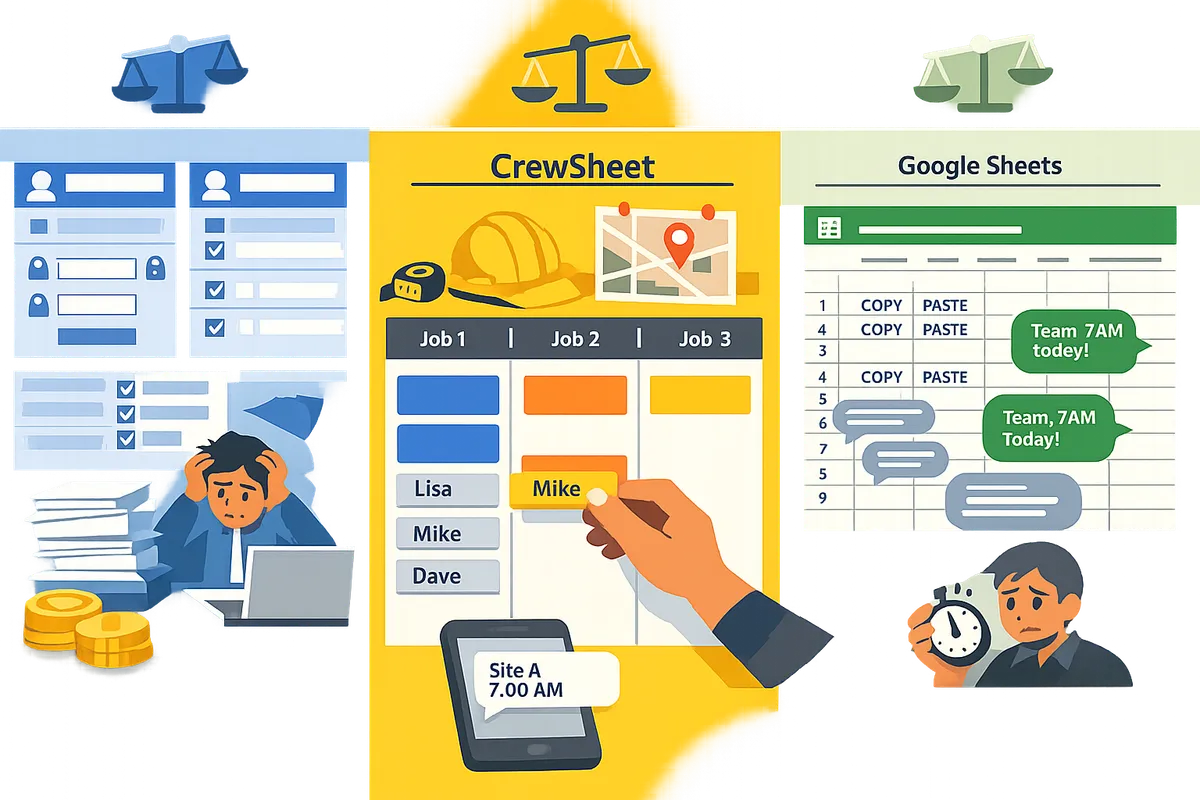
| Feature / Criterion | Assignar | CrewSheet | Spreadsheets + SMS |
|---|---|---|---|
| Price transparency | Vendor-quoted enterprise pricing. This often requires a sales conversation and can hide per-seat or integration fees. | Public flat-company pricing and predictable billing. This reduces negotiation friction for small buyers. | Effectively free for software; hidden labor and SMS costs still apply. |
| Typical onboarding effort | High. Includes professional services for complex setups and data migrations which add time and cost. | Low-to-moderate. CSV imports and guided setup get you running without professional services. | Minimal setup, but manual routines create ongoing time costs and error risk. |
| Field-worker login requirement | Requires a login for each field user. That adds license costs, training time, and churn when crews rotate. | No logins for field workers. CrewSheet sends one-way SMS so crew never create accounts. | No logins. Operators text crews from their phone or group-messaging tools. |
| PTO handling | PTO exists but often lives in separate modules and can be missed during scheduling. | PTO-aware pool shows unavailable crew on the day-board to prevent accidental shifts. | PTO usually lives elsewhere; high risk of booking someone on leave. |
| Message templates and SMS compliance | Robust templating and enterprise compliance features, but setup and campaign registration can be complex. | Built-in templates and 10DLC A2P compliance to reduce carrier rejections and template breakage. | Templates are copy-pasted and fragile; no carrier-compliance support. |
| Overstaffing / flexibility | Often enforces strict crew-size / role rules which can block quick day-of changes. | Overstaffing allowed; ideal crew size is shown but not enforced for practical flexibility. | Completely flexible but error-prone; no guardrails. |
| Scheduler usability (day-board) | Powerful but can feel rigid; rule enforcement increases proofing time before sends. | Drag-and-drop day board optimized for rapid assignment and quick sends. | Spreadsheet layout familiar but slow to adapt to last-minute changes. |
| Audit logs & compliance | Built for auditability and compliance reporting required by larger operators. | Has communication history and delivery records suitable for small-to-midsize trades. | Minimal audit trail unless you add external logs; hard to prove delivery or changes. |
| ERP integrations | Deep integrations available but usually increase cost and onboarding time. | CSV import today; ERP integrations planned and reduce migration complexity for future growth. | Manual copy/paste from ERP or exports; high ongoing administrative load. |
Refer to our Crew Scheduling Apps: Best for Construction 2026 for a broader comparison of small-trades-focused tools and tradeoffs when choosing between simplicity and full-suite features.
How do usability and rigidity affect real operating cost? ⚙️
Rigid scheduling rules increase scheduler time and rework, which raises operating cost. For example, spreadsheet-based workflows often consume 30 to 90 minutes each morning copying assignments and sending group texts. That adds recurring labor costs and creates exposure to double-booking or missed starts. A flexible day-board reduces proofing and allows quick corrections without breaking templates or forcing retraining.
Concrete scenario: a 12-person coatings crew that hits one double-book day can lose two billable crew-days according to industry examples, which converts directly into lost revenue and emergency overtime. If your scheduler spends an extra hour resolving last-minute changes because the platform enforces strict crew-size rules, that time multiplies across weeks and months. CrewSheet's drag-and-drop pool and visible PTO reduce those friction points by keeping the operator focused on assignment rather than rule-workarounds. See our operational guide on scheduling software for construction crews for day-to-day workflows that cut rework.
💡 Tip: Track the hours your office spends each morning on scheduling for two weeks. Multiply by your scheduler's loaded hourly rate to estimate the true annual labor cost of a brittle workflow.
How transparent is pricing across these options? 💬
Pricing transparency ranges from predictable to opaque: spreadsheets are effectively free, CrewSheet publishes straightforward company pricing, and Assignar typically requires a bespoke quote. Price opacity itself raises negotiation friction for small buyers because you must budget for unknown onboarding, per-seat licensing, and integration fees before you can compare total cost of ownership.
Hidden TCO items to ask vendors about:
- One-time data migration hours and who performs them.
- Per-user license rules and which user roles count as paid seats.
- SMS or messaging fees and whether carrier registration is included.
- Annual maintenance, upgrade, or support retainer costs.
Practical negotiation tips: demand a TCO worksheet that lists onboarding hours, required integrations, and the first-year total. CrewSheet customers typically benefit from simpler, predictable billing which reduces that back-and-forth. For negotiation tactics and scenarios by company size see our buyer checklist in Construction Field Management Software for Small Contractors.
💡 Tip: Ask each vendor to estimate onboarding time in calendar days, not weeks, and require a written list of deliverables tied to that timeline.
Which option should a small trades contractor choose and how to decide?
Choose based on team size, how tightly you need ERP/payroll integrations, and how much onboarding time and cost you can absorb. Small trades operators often trade off predictable monthly pricing and speed for enterprise features they will not use. This section gives a decision framework, three ROI scenarios you can reuse, negotiation tactics to lower Assignar onboarding fees, and a recommended path for operators who want to avoid Assignar-level overhead.
When is Assignar worth the cost? 🏢
Assignar is worth the cost when you operate multiple sites, must integrate jobs and payroll tightly with an ERP, and require vendor-led onboarding for dozens of licensed seats. For example, a contractor running 5+ active sites with centralized payroll and procurement requirements often needs the access controls, audit trails, and scheduled-data sync that Assignar provides. If procurement or a restricted-bid contract mandates a single enterprise platform, Assignar reduces compliance risk by centralizing approvals and role-based access. DIY alternatives increase overhead in these situations by creating manual reconciliation work and audit gaps.
Practical triggers that justify Assignar:
- Multi-site operations with daily cross-site resource movement.
- Requirement to push job tickets into payroll or an ERP automatically.
- Compliance or client procurement that mandates seat-level security and audit logs.
If you meet two or more triggers above, Assignar becomes a defensible business purchase rather than an expensive convenience.
When should you pick a cheaper alternative to Assignar? 💸
Pick a cheaper alternative when your crew totals 5–15 people, you need a fast daily scheduling loop, and you prefer predictable monthly costs with minimal setup. Small trades operators who run a single office, rely on manual payroll exports, and value speed over deep integrations usually benefit from lighter tools.
Illustrative TCO example (replace inputs with your numbers):
| Option | Monthly software cost (example) | Scheduler admin hours/week | Admin cost/month (scheduler $30/hr) | Estimated error cost/month | Total monthly TCO (example) |
|---|---|---|---|---|---|
| Spreadsheet + group texts | $50 (SMS, tools) | 7.5 hr/wk | $900 | $800 | $1,750 |
| CrewSheet (example) | $300 | 1.25 hr/wk | $150 | $150 | $600 |
| Assignar (example) | $2,500 | 0.75 hr/wk | $90 | $100 | $2,690 |
Example rationale. The spreadsheet workflow shows low software cost but high daily admin time and a larger error cost from missed starts and double-bookings. CrewSheet reduces admin time by providing a day-board and one-click SMS sends; error cost falls because PTO and single-use rules prevent accidental scheduling on days off. Assignar lowers operational rework but raises monthly TCO because of per-seat licensing and platform-level complexity.
Use this template with your scheduler wage, your average lost-crew-day cost, and vendor quotes to produce a decision-ready TCO.
See our CrewSheet assigning crew guide and the Welcome to CrewSheet documentation to model how much daily time you actually save when a scheduler moves from spreadsheet sends to a drag-and-drop day board.
How CrewSheet reduces upfront and ongoing cost for trades operators 🚧
CrewSheet reduces both setup friction and monthly overhead by removing field-worker logins, bundling SMS compliance, and focusing on a single-day board that cuts scheduler time and messaging errors. Operators drag names, pick a template, and send the day’s assignments in about 30 seconds, which materially reduces morning prep time.
Concrete ways CrewSheet lowers cost:
- No field logins so you avoid per-seat licensing and the admin burden of provisioning accounts.
- Built-in 10DLC A2P compliance removes carrier registration work that often creates hidden costs for high-volume texting.
- Day-board UX (drag-and-drop) drops morning scheduling from 45–90 minutes to under 15 minutes in live operator tests.
Read our roles and supervisors article to see how flexible foreman assignment and PTO visibility cut double-booking errors.
💡 Tip: Try CrewSheet on a two-week live pilot with real-day boards before migrating your job roster. The pilot shows actual scheduler time savings and error reduction on your operations.
How to negotiate price and onboarding terms to lower Assignar's total cost 🔍
You can lower Assignar's TCO by forcing scope clarity, capping professional-services fees, and staging onboarding milestones. Vendors often bill an open-ended services pool unless buyers require fixed deliverables.
Contract checklist to use in vendor conversations:
- Request a staged onboarding plan with clear deliverables and dates. Ask for a written scope that ties deliverables to payment milestones.
- Cap professional services fees and require change-order approvals for out-of-scope work.
- Insist on a 30–60 day pilot that limits the initial scope to core scheduling workflows and a fixed dataset size.
- Require data-migration acceptance criteria (sample records imported and verified) before final payment.
- Ask for a reduced seat-count trial price and a predictable per-seat ramp schedule rather than immediate full licensing.
These points reduce the chance of surprise bills for custom mapping, long-format data cleansing, or repeated consultant hours.
What simple ROI scenarios should operators run before deciding? 📊
Run three scenarios: keep spreadsheets+SMS, move to CrewSheet, or buy Assignar. Use the same baseline inputs so you compare apples to apples. Each scenario should produce a monthly TCO and a 12-month ROI timeline.
Step-by-step ROI runbook:
- Input your scheduler hourly rate, average daily scheduling time per workflow, and SMS costs.
- Estimate average monthly error cost from missed starts, overtime, or lost billable hours (use last 3 months of incidents).
- Add software, SMS, and expected onboarding amortized over 12 months.
- Calculate monthly net change in cost and the break-even month for any onboarding fees.
Thresholds that usually justify enterprise spend:
- You save over 20 admin hours per week by automating scheduling and messaging.
- Monthly error cost (missed starts, double-bookings) exceeds the monthly differential between Assignar and a lighter tool.
- Procurement or compliance requires seat-level controls or specific audit trails.
If none of those thresholds apply, a lighter tool such as CrewSheet or a managed spreadsheet workflow typically delivers faster ROI and less operational risk.
Frequently Asked Questions
This FAQ answers common buyer questions about Assignar pricing, alternatives, and practical steps small contractors should take when evaluating crew-scheduling software. Read these items to reduce surprise costs, compare realistic alternatives, and test options before committing.
How transparent is Assignar pricing? 💬
Assignar pricing is commonly sold via custom quotes rather than a public per-seat rate. This quote-based model means buyers often do not see a simple monthly per-user number and must ask for a full line-item breakdown to budget accurately. Request separate line items for license tiers, one-time migration, integrations, training hours, and annual support so you can compare apples-to-apples with alternatives like Crew Sheet. Ask for typical onboarding timelines and a written estimate of internal staff hours required; vague timelines hide real labor costs.
How much does Assignar typically cost for a small contractor? 💸
Assignar costs vary, but small contractors usually face a higher effective per-user price once onboarding, integrations, and training are included. Get a vendor quote that lists: (1) per-seat or per-scheduler fees, (2) one-time migration and data-cleanup costs, (3) integration or API setup fees, (4) training and go-live support hours, and (5) ongoing support or maintenance charges. Compare that quote to the same line items for lighter options and use the article's TCO template to convert onboarding hours into dollar estimates. Small trades often find Crew Sheet meets day-of scheduling needs without forcing every field worker to have a login, which lowers training friction and hidden labor costs.
What are the main Assignar alternatives for small trades companies? 🔁
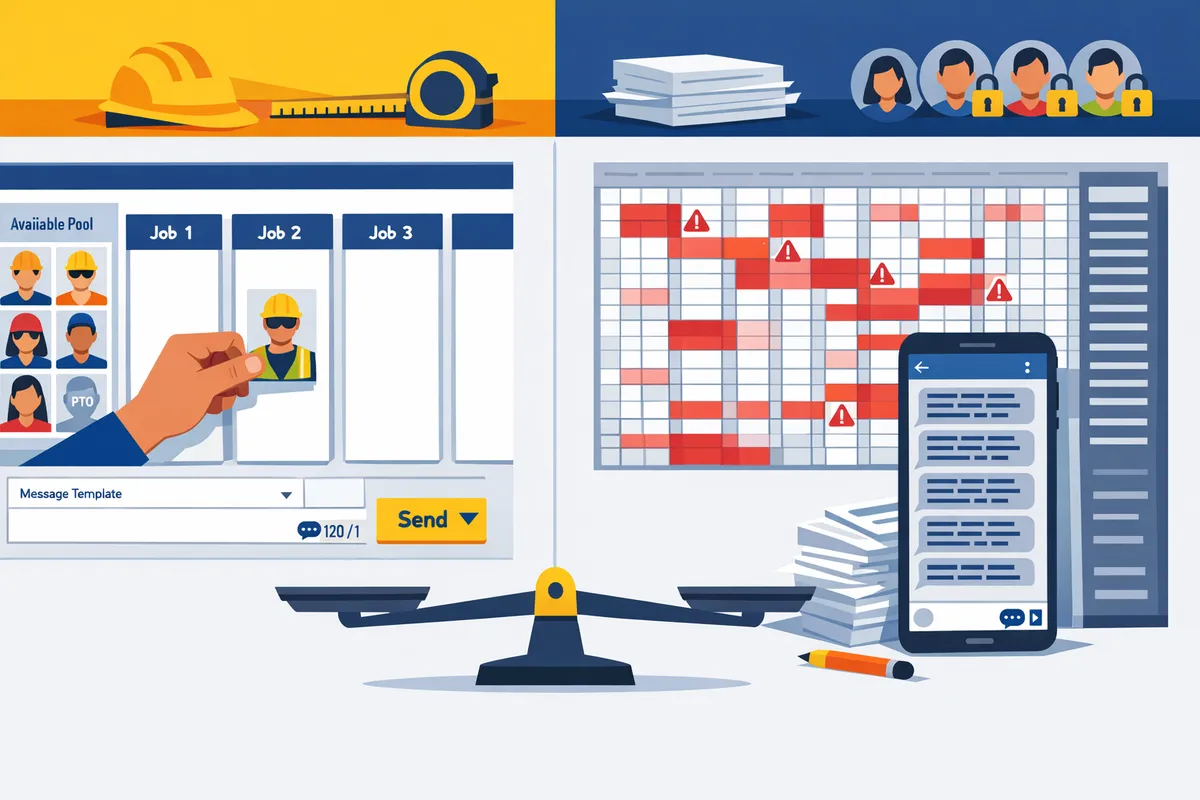
The three realistic paths are enterprise suites (like Assignar), Crew Sheet (purpose-built day-board + SMS), and spreadsheet-plus-SMS workflows. Below is a quick feature-for-feature snapshot to help you compare.
| Option | Typical cost signal | Pros | Cons |
|---|---|---|---|
| Assignar (enterprise suite) | Quote-based, higher TCO | Full scheduling + compliance + integrations. Centralizes many functions. | Higher onboarding effort. Requires field logins and more change management. |
| Crew Sheet | Mid-market fixed pricing signal | Drag-and-drop day board, one-way SMS, no field logins, PTO-aware pool. Reduces daily friction for small crews. | Not an ERP. CSV imports used now where deep ERP integrations are needed. |
| Spreadsheet + SMS | Lowest upfront cost | Flexible, familiar, lowest monthly spend. | Fragile templates, manual re-entry, high rework risk and missed starts. |
For a deeper breakdown of feature trade-offs and when each path wins, see our comparison of crew scheduling apps and the spreadsheet alternative in Crew Scheduling Apps: Best for Construction 2026 and CrewSheet vs Spreadsheet-Based Scheduling.
Can I avoid field-worker logins and still send schedules by text? 📲
Yes. One-way SMS and email models let operators send schedules without giving field workers accounts. Crew Sheet uses a push-based communication model so operators build the day's board and SMS job start times to phone numbers without requiring crew to install apps or create logins. That approach reduces training time, eliminates forgotten passwords, and lowers the number of paid user seats you must buy.
💡 Tip: Always use double opt-in for SMS signups to keep message delivery compliant and reduce carrier rejections.
How do I estimate the true total cost of ownership for Assignar vs alternatives? 📊
Estimate TCO by adding subscription fees, one-time onboarding and migration, internal labor for setup and maintenance, integration or middleware costs, and ongoing support; then compare that total to projected time savings and error reduction. Follow these sequential steps:
- Collect vendor line-item quotes for subscription, migration, integrations, training, and support.
- Estimate internal hours for data cleanup, training, and daily maintenance, then multiply by fully loaded hourly rates.
- Add any recurring message or SMS fees and projected admin time saved per week.
- Calculate avoided costs: hours saved from fewer double-books, fewer emergency dispatches, and reduced payroll reconciliation.
- Run scenarios for 6, 12, and 24 months.
Download the article's TCO template to drop in your numbers and use the illustrative scenarios to see when Assignar's broader feature set pays off versus a focused tool like Crew Sheet.
⚠️ Warning: Always preserve a CSV export of your current schedule and crew data before migration so you can rollback if the new workflow misses critical needs.
Will switching to a cheaper alternative increase operational risk? ⚠️
Switching can increase risk if the chosen tool lacks integrations or compliance features your operations depend on, but many small trades firms reduce operational risk by choosing a simpler tool that matches daily needs. Identify the must-have integrations (payroll, job import from ERP, certificate tracking) and test for them in a 30-day pilot. If those integrations are non-negotiable, require the vendor to document a migration and support SLA. For lower-risk transitions, keep CSV import/export, run parallel schedules for two weeks, and prepare a rollback plan that restores your old system quickly if issues arise.
For guidance on deciding where Assignar makes sense versus lighter tools, see our buyer primer on field management software for small contractors at Construction Field Management Software for Small Contractors.
Assignar's price reflects enterprise scope and mandatory logins.
If you asked why is assignar so expensive, the short answer is that Assignar packs enterprise-grade modules, per-user access, and rigid role enforcement that small trades rarely need. That scope creates real costs: longer onboarding, higher monthly fees, and lost time when operators fight rigid rules instead of scheduling work. Small-to-midsize coatings, HVAC, and specialty-trade operators often find those costs outweigh the benefits; our construction field management software for small contractors guide helps compare those trade-offs against simpler workflows.
For contractors weighing assignar alternatives, Crew Sheet provides a middle ground that keeps scheduling fast and avoids field-worker logins. Try Crew Sheet by starting the getting-started guide to build your first day board and send schedules by SMS in about 30 seconds. Subscribe to our newsletter for implementation tips and updates on crew-scheduling best practices.