Per-division digests
A digest is an automatic daily email that sends tomorrow's schedule to the people who need to see it — one separate email per division, each with its own recipient list.
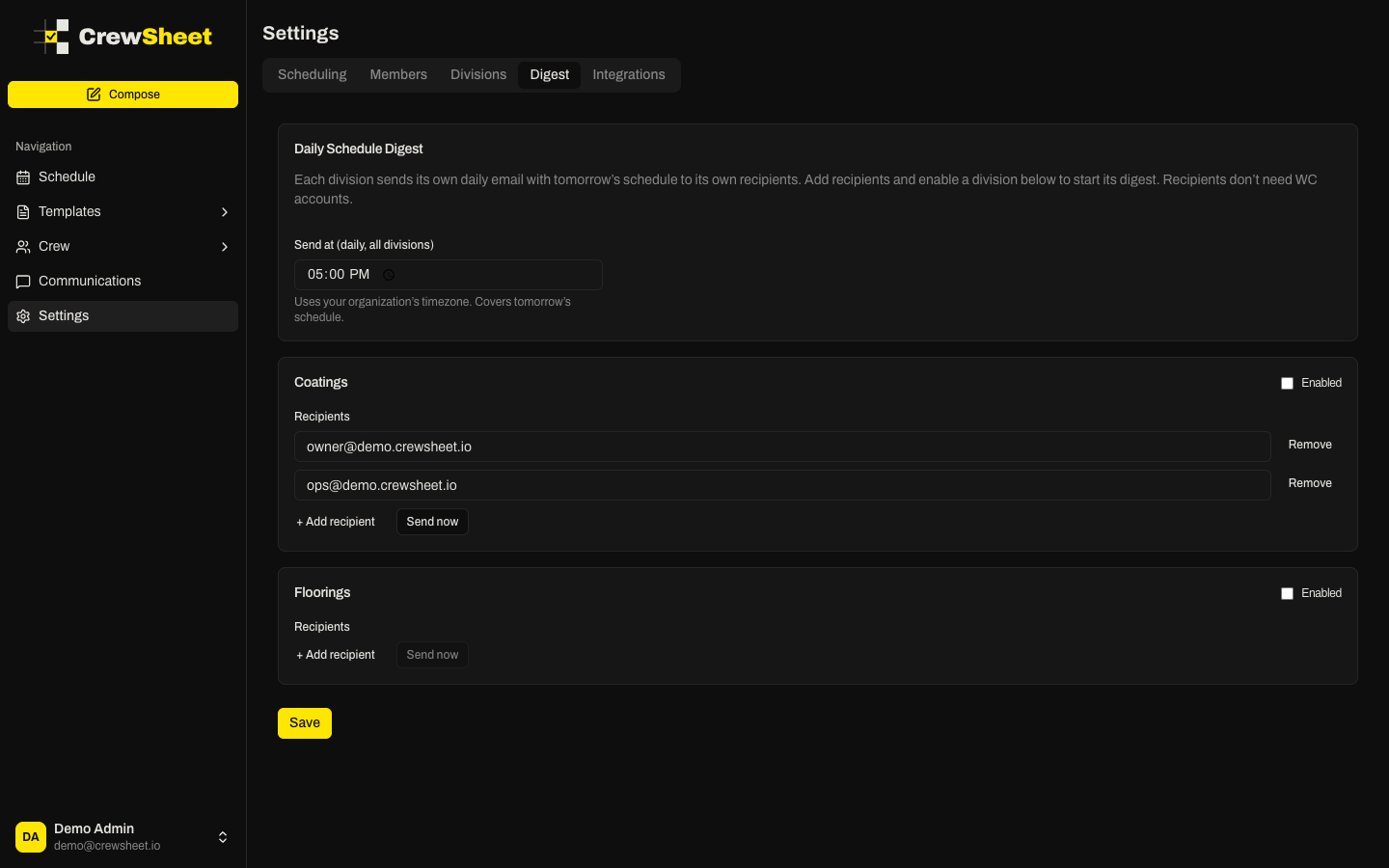
Set the send time
All divisions send their digest at the same daily time.
- Go to Settings > Digest.
- Under Daily Schedule Digest, set Send at.
- The time uses your organization's timezone and always covers tomorrow's schedule.
Only admins can change these settings; other roles see them as read-only.
Add recipients for a division
Each division has its own card with its own recipient list. Recipients don't need CrewSheet accounts — a digest goes to any email address you add.
- Find the division's card.
- Click + Add recipient and type an email address.
- Repeat for each person. Use Remove to drop one.
- Check Enabled to turn the division's digest on.
- Click Save.
If a division is enabled but has no recipients, no email is sent — the card warns you when this happens.
Send a digest right now
To send tomorrow's schedule immediately instead of waiting for the daily time, click Send now on a division's card. The division must have at least one recipient. CrewSheet confirms how many recipients it reached.